






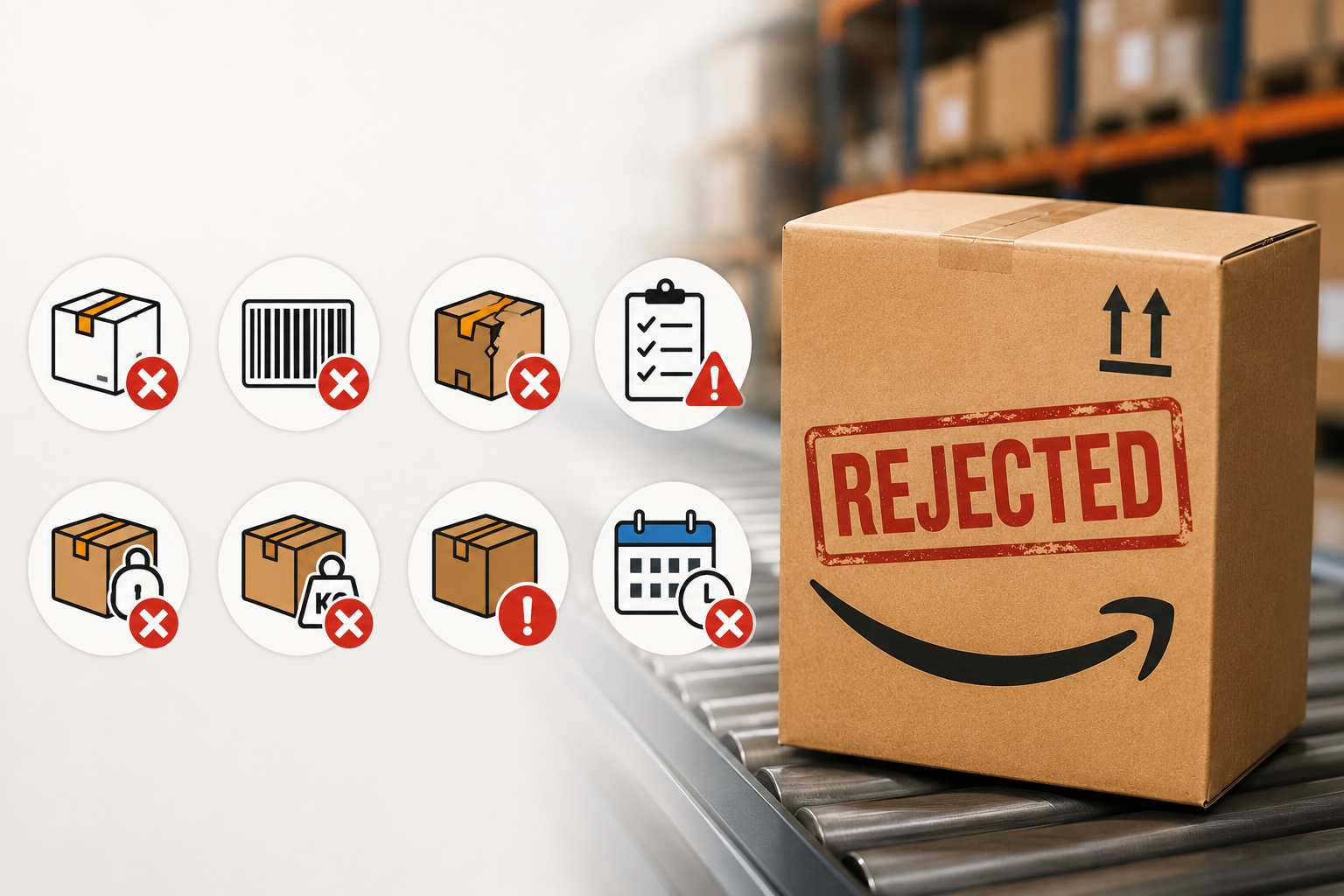
Amazon rejects FBA shipments for six primary reasons: labeling errors (missing or unscannable FNSKU barcodes), packaging that fails prep requirements (poly bags, box strength, multipack bundling), shipment content discrepancies between the shipping plan and physical contents, prohibited or restricted products sent without gating approval, condition or transit damage at receiving, and delivery window or appointment violations. Fixing these issues starts with a standardized pre-shipment prep checklist applied before inventory leaves your facility.

Your inventory is packed, labeled, and ready to ship. Then Amazon rejects the shipment. Depending on where you are in the process, that rejection can mean a re-label run at 11 PM, a dispute with your prep center, or a costly unplanned return. None of those outcomes are acceptable at scale, and most of them trace back to a short list of mistakes that show up over and over across FBA seller accounts.
Amazon’s receiving standards are more exacting than most sellers expect the first time they send inventory. The warehouse staff check labels, dimensions, poly bagging, expiration dates, and box content accuracy against a defined spec. Miss any part of that spec and the shipment gets flagged, refused, or put on hold. Some violations result in a warning. Others result in disposal. A few can contribute to account health problems if they repeat.
These rejections follow predictable patterns. If you’ve been burned by one, you can prevent the next. If you’re scaling your FBA operation or switching to a new 3PL for Amazon FBA prep, understanding where rejections originate gives you a practical checklist to verify before every send. This article covers the most frequent causes of FBA shipment rejection, what Amazon actually checks, and what needs to change so your inventory gets accepted and checked in without delays.
1. Labeling Errors
Labeling is the single most common source of FBA rejections. Each unit needs a scannable FNSKU barcode printed clearly on the exterior, positioned where a scanner at the receiving dock can read it without obstruction. Labels that are wrinkled, covered by packaging seams, placed on a curved surface, or printed too faintly to scan will get flagged – regardless of how well-prepared everything else in the shipment is.
Amazon requires FNSKU labels to be at least 1″ x 2″ with sufficient barcode resolution to produce a clean scan. Labels printed on standard office paper with an inkjet printer often fail this test because ink spreads slightly at barcode edges. Thermal printing on label stock is the standard used by professional prep operations for exactly this reason. A final scan check – a person or handheld scanner verifying each FNSKU reads correctly before the unit goes into the shipping box – is the minimum quality gate your prep process should include.
One issue that catches sellers off guard is residual manufacturer barcodes. If you sourced products carrying a manufacturer barcode and applied your FNSKU over it, but the original barcode remains partially visible, Amazon’s scanner may read the wrong code. Covering the original completely is not optional. Check every unit for bleed-through before boxing.
Box and Pallet Labels
Beyond unit-level labels, each shipping box needs the Amazon shipment label with the correct shipment ID and box number printed on the outside. In a multi-box shipment, mismatched labels mean the receiving team can’t reconcile what arrived against the shipping plan before a single unit is scanned. Pallet shipments require labels on all four sides of the pallet. Missing even one side label can trigger a hold when the facility is running at volume.
2. Packaging That Fails FBA Prep Requirements
Amazon’s packaging requirements are designed for a high-throughput warehouse environment where products move through pick paths, conveyors, and multiple handling stages. Packaging that doesn’t meet those specs creates rejections at receiving and damage claims further into the fulfillment cycle.
Poly bag requirements trip up more sellers than almost any other packaging rule. Any product that poses a suffocation risk must carry a suffocation warning printed or stickered directly on the bag. The required font size scales with the bag opening dimension, and bags below a certain size have different configuration rules. If you’re sourcing poly bags from a generic supplier, verify the suffocation warning spec against the current FBA prep guide before your next shipment.
Box strength is a structural requirement tied to total shipment weight. Amazon sets minimum ECT (edge crush test) ratings based on gross box weight. A box that passes at the carrier can still get rejected at the FBA receiving dock if it doesn’t meet the spec. Confirm your corrugated packaging is rated at or above what your product weight demands. Sets and multipacks must be bundled or banded as a single sellable unit before they arrive. Amazon’s receiving team will not assemble sets for you.
Expiration Dates and Remaining Shelf Life
Products with expiration dates require the date to appear on the outside of each unit in a legible format. Beyond visibility, the remaining shelf life at time of receiving must meet Amazon’s minimums for the category. For food and supplements, that threshold is typically 90 days or more at the time the inventory is received at the fulfillment center – not at the time you ship it.
Transit time eats into shelf life. If you’re sending product that’s 95 days from expiration and transit takes five days, you arrive at the minimum threshold with no buffer. A 3PL warehousing partner using FEFO (first expired, first out) inventory controls catches this calculation before the shipment leaves the facility, which is the only point where the problem is still correctable without cost.
Amazon FBA rejections fall into two broad buckets. The first is prep errors – labeling, packaging, and expiration issues that happen before inventory leaves your facility. The second is plan errors – shipment content discrepancies, prohibited product submissions, and delivery window misses that happen in Seller Central or carrier coordination. Fixing prep errors requires a standardized checklist. Fixing plan errors requires process controls at the shipping plan creation stage.
3. Shipment Content Discrepancies
Amazon expects the physical contents of your shipment to match your shipping plan exactly. If you created a plan for 200 units of one ASIN and 100 of another, the boxes arriving at the fulfillment center need to contain those quantities in those configurations. When the receiving scan produces a different count – or when units arrive that weren’t listed in the shipping plan at all – the shipment goes into exception status.
Inaccurate box content records are the most common version of this problem. If Box 3 shows 24 units on the box content record but only 22 arrive physically, the receiving system flags the discrepancy. Enough of those flags and you lose the ability to self-certify your box contents, which adds processing time and handling fees to every future shipment until the account performance recovers.
Mixed SKU problems fall into the same category. Putting multiple ASINs in a box when your shipping plan called for single-ASIN boxes, or mixing ASINs that require different handling types (such as placing a hazmat product alongside standard inventory), means the shipment won’t process normally. Most pick, pack and ship services at a qualified prep center catch this at the packing stage, but in-house prep operations need an explicit box configuration verification step before sealing.
4. Prohibited and Restricted Products
Some rejections happen because the product shouldn’t have been sent at all. Amazon maintains a list of prohibited products that cannot enter the FBA network under any circumstances, and a separate list of restricted products that require category approval before they’re eligible. Sending either category without the correct gating clearance results in immediate rejection at receiving and can trigger an account review.
Hazardous materials are the most frequent source of this type of rejection. Many common products – certain battery types, cleaning chemicals, aerosols, and flammable liquids – qualify as hazmat under Amazon’s definition regardless of how they’re classified outside the FBA system. Clearance requires submitting a safety data sheet through Amazon’s hazmat review portal and waiting for approval before those ASINs can be included in a shipment. Sellers who send without clearance typically have inventory refused, sent to disposal, or placed in a storage hold while the review completes.
Oversized products that exceed the dimension or weight limits for standard FBA also get rejected at intake if routed through the wrong size tier. Verify category, dimensions, and weight against FBA’s size tier definitions before you create the shipping plan.
5. Condition and Transit Damage
Amazon’s receiving team checks for visible condition issues at intake. Product that arrives damaged, with compromised outer packaging, or in a condition that doesn’t match what’s listed in your Seller Central account gets rejected or moved to unfulfillable status. This affects both new and used inventory, though the acceptable condition thresholds differ.
Transit damage traces back to inner packing. Bubble wrap, foam inserts, and airbags inside the shipping box protect individual units from shifting and impact during carrier handling. Products sitting loose inside an oversized box with no inner packing frequently sustain surface or packaging damage in transit even when the outer box arrives intact. The outer box absorbs impact; the inner packing absorbs the transferred force. Without both, units move.
Defective units that weren’t caught before shipping also generate receiving rejections. A QC check during your prep process – at your own facility or through a professional end-to-end order fulfillment provider – catches torn packaging, missing components, and visible defects before inventory leaves for Amazon.
6. Delivery Window and Carrier Appointment Violations
Amazon assigns a delivery window and a specific fulfillment center to your shipment when you finalize the shipping plan. Inventory arriving outside that window, or at the wrong facility, may be refused or placed in a processing queue that delays check-in by days. The receiving team’s schedule is built around expected shipments. When a shipment arrives after its window has closed, the queue has moved on.
Economy freight is the most common source of late arrivals. The transit time estimate at booking is a range, not a guarantee, and any delay that pushes arrival past the delivery window creates a problem. Confirm transit time against your delivery window with a buffer when you book the carrier. If you can’t reliably hit the window with economy service, the cost difference on a faster option is usually smaller than the cost of a delayed check-in.
Pallet shipments at facilities that require delivery appointments present a separate issue. Arriving without a booked appointment can result in the dock refusing to offload. Confirm the receiving facility’s appointment requirements when you create your shipping plan. If you’re routing shipments through a 3PL shipping partner, your logistics provider handles the appointment booking and carrier coordination as part of the service.
How to Reduce FBA Rejections Systematically
FBA shipment rejections repeat because the root cause lives in a process, not a one-time mistake. The same seller gets the same rejection three shipments in a row because nobody has traced the error back to where it actually originates – a prep step, a supplier’s packaging format, or a gap in the shipping plan workflow. Fixing rejections requires a standardized checklist applied to every shipment before it leaves your facility.
A pre-shipment checklist at minimum should verify: FNSKU label scan quality on a sample of units, poly bag compliance including suffocation warning placement and font size, box content accuracy against your shipping plan, expiration dates and remaining shelf life for time-sensitive inventory, inner packing adequacy for the product type, and correct size tier routing for the ASIN. Those checks catch the majority of rejections before they happen.
Your Seller Central account gives you historical data on your rejection pattern. The shipment performance dashboard tracks receiving discrepancies and problem rates over time. If your discrepancy rate is climbing, review the flagged shipment details, identify which error category is repeating, and trace it to the process step where the error was introduced. That specific step is what needs a change, not the overall process.
Working with an FBA prep center adds a second verification layer that your own volume-focused team tends to miss. A prep center processing FBA shipments daily maintains current knowledge of Amazon’s receiving standards, catches edge cases that in-house teams don’t encounter frequently enough to recognize, and has the equipment – thermal printers, dimensioning tools, poly bag sealers – to meet the technical requirements consistently.
常见问题
What happens when Amazon rejects an FBA shipment?
When Amazon rejects an FBA shipment, the inventory is either returned to you, destroyed at your expense, or held in a processing queue pending resolution. The specific outcome depends on the rejection type. Labeling and packaging issues may result in Amazon charging a manual processing fee to bring the inventory into compliance. Prohibited product rejections typically result in return or disposal. Shipments rejected for delivery window violations are usually returned to the carrier for redelivery or redirected to the correct facility.
How long does it take Amazon to reject an FBA shipment?
Amazon typically flags shipment issues at the time of receiving at the fulfillment center, which can occur within one to three business days of the shipment arriving at the dock. Some issues, such as prohibited product flags, may be identified before physical receipt through the shipping plan review process. Once a rejection is logged in Seller Central, you’ll see the status update in your shipping queue within 24 hours of the determination.
Can you fix an FBA shipment after it’s been rejected?
Whether you can fix a rejected FBA shipment depends on what Amazon does with the inventory. If the rejection results in a hold at the fulfillment center, you may be able to submit a removal order and have inventory returned to you for correction and reshipment. If the inventory has already been processed for disposal or returned to sender by the carrier, correction requires creating a new shipping plan with the fixed inventory. Amazon does not generally allow sellers to send new labels or packaging corrections to fulfillment centers to fix already-received inventory.
What is the most common reason Amazon rejects FBA shipments?
Labeling errors are the most frequently cited reason for FBA shipment rejections. Specifically, FNSKU barcodes that fail to scan at the receiving dock – due to print quality, label placement, or coverage issues over original manufacturer barcodes – account for a disproportionate share of intake rejections. Shipment content discrepancies (physical quantities not matching the shipping plan) are the second most common category, followed by poly bag and packaging compliance issues.
Does Amazon charge fees for rejected FBA shipments?
Yes. Amazon may charge fees for rejected shipments depending on the circumstances. If Amazon performs manual processing to bring non-compliant inventory into compliance, an unplanned prep service fee applies per unit. If inventory is flagged for disposal, a disposal order fee applies. If inventory is returned via a removal order, a removal fee applies per unit. These fees are separate from any standard FBA storage fees that continue to accrue while rejected inventory sits in the fulfillment center.
Work with a 3PL That Knows FBA Prep
Texas Logistics Services supports e-commerce sellers with FBA prep, labeling, kitting, and fulfillment by Amazon compliance checks from our facility in Sugar Land, TX. Our team knows Amazon’s current receiving requirements and prepares inventory to check in without delays.
If FBA rejections are cutting into your margins or your receiving times are running slower than they should, contact us at (346) 766-2151 or visit texaslogisticservices.com to talk through your current prep process.
